Discord webhook
Add or update your webhook
sheet.a9-clash.net sends a message to all stored webhooks
when the new clash format has been moved to a9-clash.net
The messages are:
Updates to the trackslist (tracks, car classes, car packs)
Updates to the points (additional points for requirements)
Updates on track or map names
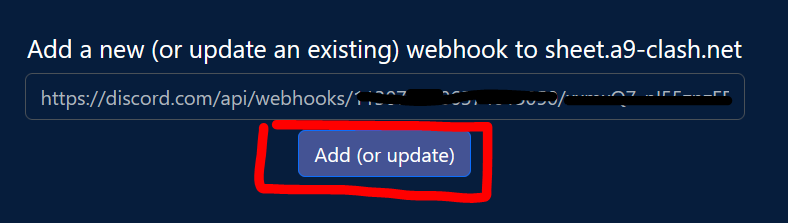
Add a new (or update an existing) webhook to sheet.a9-clash.net
Remove webhook from sheet.a9-clash.net
Where can i get the discord webhook?
You need to have privileges to manage webhooks in your channel
Note: the images describe text in german. Anyways, the position of the buttons are the same in any language
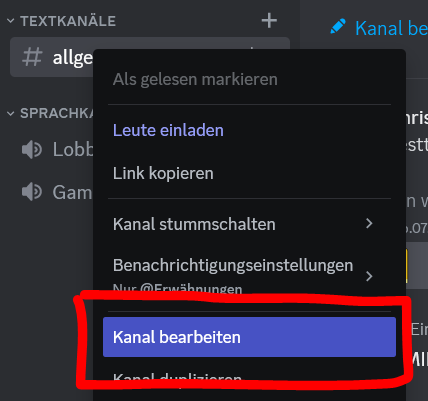
Right click the channel where you want the messages to be sent to
And choose: "edit channel"
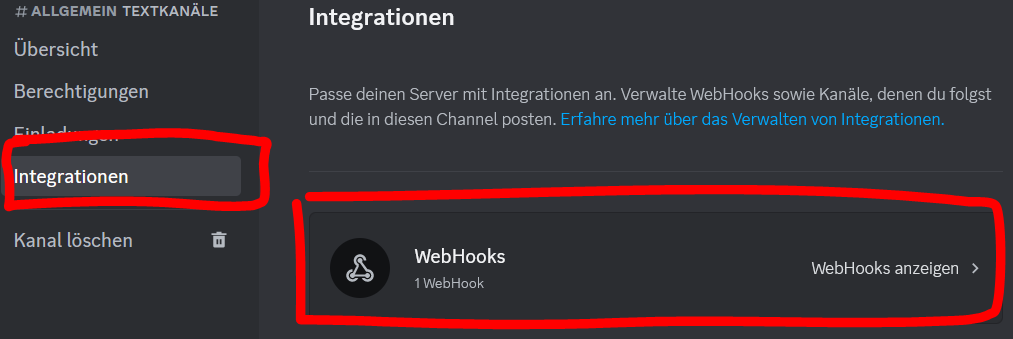
Choose integrations, choose "show webhooks"
Click to create a new webhook or choose an existing one
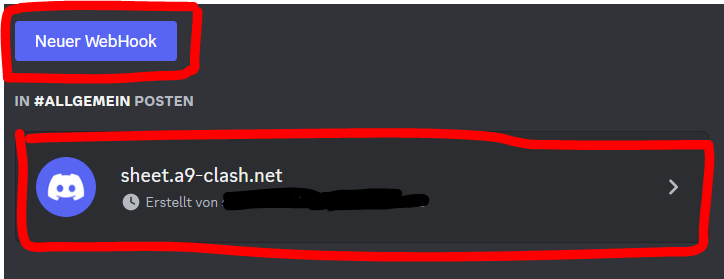
Choose the channel, where the messages should appear
Give the webhook a name
Click to copy the webhook url
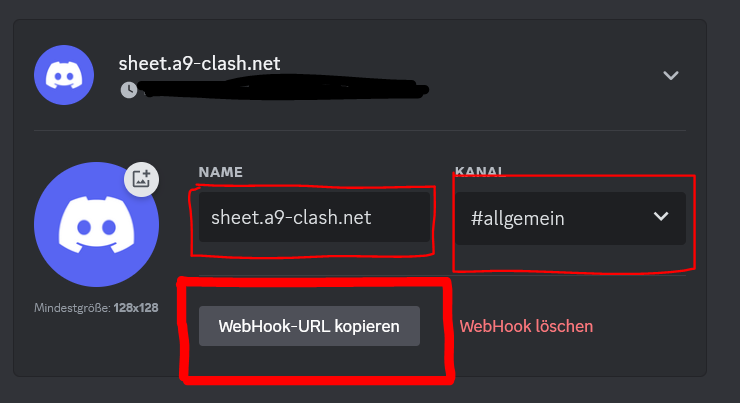
And paste here into the field for the webhook url